
New Login Experience
Date Published
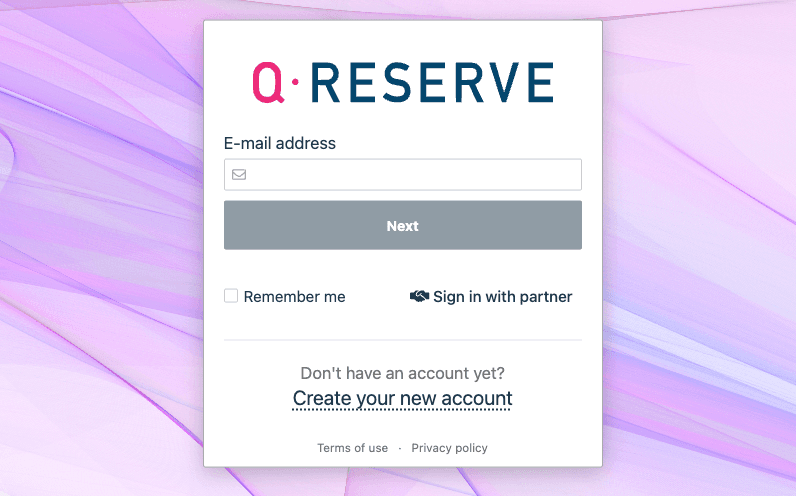
We've Updated Our Login Experience
You may have noticed something different when signing into QReserve—we now ask for your email address first, before showing you a password field or directing you to your organization's single sign-on (SSO) provider. This is an intentional change, and we want to explain why we made it.
Why the Change?
Our previous login page showed email and password fields side by side, with a separate "Sign in with partner" button for SSO users. This worked, but it created friction:
- SSO users would sometimes try entering a password, only to be told they needed to use their organization's login instead
- Users weren't always sure which login method applied to them
- Organizations with SSO couldn't enforce it consistently
The new flow solves these problems. When you enter your email, we check how your account is configured and guide you to the right place automatically. If your organization uses SSO, you'll be redirected there. If you use a password, you'll see the password field. If both options are available, you can choose on the next screen. No guesswork required.
This Is a Common, Secure Pattern
If this flow feels familiar, that's because it is. Google, Microsoft, Slack, and many other services use this same approach. It's become the standard because it's both more secure and more user-friendly—especially for organizations managing how their teams authenticate.
Frequently Asked Questions
Is this a phishing site or scam?
No. You're on the real QReserve site. You can verify this by checking that the URL in your browser's address bar is my.qreserve.com and that the connection is secure (look for the padlock icon).
Will my password manager still work?
Yes. We've built this flow to work seamlessly with password managers. They should autofill your credentials just as before. If your password manager gets stuck, please let us know and we'll help find a solution.
Why do I have to click "Continue" before entering my password?
This extra step lets us determine the right authentication method for your account. It only adds a moment to the process but makes the experience smoother overall—especially if your organization ever changes how they want you to sign in.
I'm having trouble signing in. What should I do?
If you're stuck, try these steps:
- Make sure you're using the correct email address associated with your QReserve account
- If directed to SSO, ensure you're signed into your organization's identity provider
- If using a password, try the "Forgot your password?" link to reset it
Still having issues? Reach out to us and we'll help you get back in.